Software development is a delicate dance between brilliant ideas and precise execution. Without a clear blueprint, even the most innovative concepts can get lost in translation, leading to costly reworks and frustrated users. This is where mastering the Best Use Cases & Activities comes into play—a powerful, often underestimated, tool for defining, designing, and delivering software that truly hits the mark.
Think of use cases as the script for your software's story, detailing exactly how users interact with the system to achieve their goals. They illuminate the path from an initial idea to a fully functional product, ensuring everyone involved, from developers to stakeholders, shares a unified vision.
At a Glance: Your Quick Guide to Use Cases
- What they are: Detailed descriptions of how a user interacts with a system to accomplish a specific goal.
- Why they matter: They clarify requirements, pinpoint potential issues early, aid in design, and streamline testing.
- Key components: From actors and triggers to basic flows and alternative paths, a complete use case covers every scenario.
- Two main types: High-level Business Use Cases define strategic goals, while granular System Use Cases detail system interactions.
- Where they shine: Ideal for defining functional requirements, designing user flows, and creating robust test plans.
- Beyond the basics: Visualized with diagrams, distinguished from user stories, and crucial for traceability.
What Exactly Are Use Cases? The Heartbeat of Software Design
At its core, a use case is a methodology—a structured approach in software and system engineering design that helps teams review, analyze, and organize system requirements and features. It describes how a system is intended to work, how users might apply it, and the various ways a user can interact with an application or product.
Imagine you're building a digital assistant. A use case wouldn't just say "User asks for weather." It would outline:
- Who uses it (the user).
- What their goal is (to get local weather information).
- The ordered steps the user takes (user activates assistant, user speaks command, assistant processes, assistant responds).
- How the software reacts to those actions (displays weather, retrieves data from API).
This level of detail ensures that no critical interaction or system response is left to chance. Use cases can be presented in simple text lists, comprehensive tables, or visually compelling diagrams, making complex processes accessible to everyone.
The Power Behind the Blueprint: Why Use Cases Are Indispensable
While seemingly granular, the benefits of dedicating time to use cases ripple across the entire software development lifecycle. They aren't just documentation; they're catalysts for clarity, collaboration, and quality.
- Crystal-Clear System Design: Use cases provide the best possible outcome scenario by accurately depicting the intended system design. They show exactly what the system should do, leaving little room for ambiguity.
- Proactive Problem Solving: By mapping out user interactions and system responses, use cases help developers and stakeholders brainstorm and resolve potential issues, user misunderstandings, malfunctions, or defects before a single line of code is written. This foresight is invaluable.
- Establishing Goals and Targets: They help define clear system goals, which in turn aids in determining complexity and estimating development costs more accurately. Knowing what "success" looks like from the outset streamlines budgeting and resource allocation.
- Prioritizing Features: Use cases highlight essential or required software elements, making it easier to prioritize features during development. This ensures that critical functionalities are addressed first.
- Enhanced Planning: They significantly improve the planning stages of development, from requirements gathering to defining project scope and creating robust roadmaps. When you know what needs to be built and how it will be used, planning becomes far more effective.
Anatomy of an Effective Use Case: The 10 Core Elements
A well-crafted use case isn't just a simple list; it's a comprehensive narrative structured with specific components. Understanding these elements is key to writing effective use cases that leave no stone unturned.
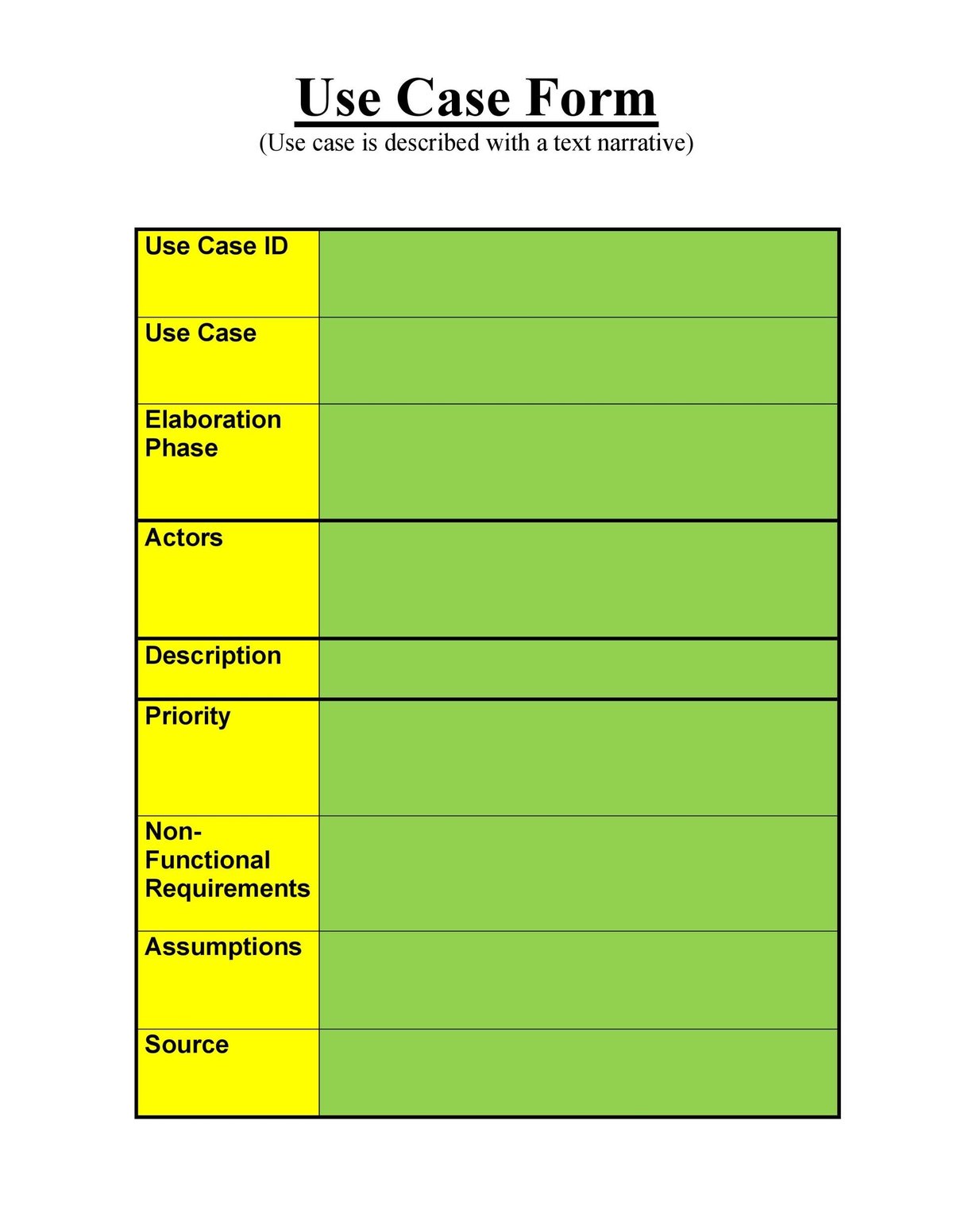
- Use Case Number and Application: A unique identifier, often chronological, for easy record-keeping and referencing throughout the project.
- Use Case Name, Description, and Goal: A concise title ("Process Payment"), a brief description of the overall purpose, and a clear statement of the user's objective (e.g., "Allow a customer to successfully pay for an order").
- Actor: This is someone or something that performs a behavior or action, or uses the system. Actors can be people (buyers, administrators), objects (a sensor), or external systems (a credit card company, a transaction timer). These are the individual entities interacting with your system, much like understanding the six big heroes that drive any narrative.
- Primary Actor: The specific person or system whose goal is fulfilled by the software. This actor often initiates the use case and is the main beneficiary of its successful completion.
- Stakeholder: Anyone with a particular interest in how the system behaves, who benefits from its function but may not be a direct user. This could be a business owner, a legal department, or a marketing team.
- Preconditions: Statements describing what must be true or in place before the use case can even begin. For example, "User must be logged in" or "Shopping cart must contain items."
- Triggers: The specific events, internal or external, that initiate the start of a use case. This could be a user clicking a button, a system timer expiring, or receiving data from an external API.
- Basic Flow (Main Success Scenario): This is the ideal, step-by-step sequence of events where the use case proceeds perfectly as intended, without any exceptions, errors, or detours. It's the "happy path" and serves as the foundation for developing alternative paths.
- Alternative Path (Alternative Flow): Variations of the basic flow that describe what happens when an error or an unexpected event occurs. These are critical for anticipating issues like an invalid password, an out-of-stock item, a failed payment authorization, or a network timeout.
- Post-conditions: Statements describing the possible states the system can be in after the use case has concluded, regardless of whether the basic flow or an alternative flow was executed. Examples: "Order is placed," "Payment is declined," "User is logged out."
Crafting Your First Use Case: A Practical Approach
To effectively write a use case, cut through the noise by asking three fundamental questions:
- Who will use the product? (Identifies actors and primary actors)
- What will it be used for? (Clarifies the goal and description)
- How will they use it? (Outlines the basic and alternative flows)
The key is to carefully consider the typical user's flow of events, step by step, from initiation to conclusion. Put yourself in their shoes, anticipate their actions, and consider what could go right and what could go wrong.
Two Flavors of Focus: Business vs. System Use Cases
Not all use cases are created equal. They exist on a spectrum of detail, serving different purposes at various stages of development.
- Business Use Case (Abstract-Level Use Case):
- Focus: High-level business processes.
- Language: Technology-agnostic.
- Detail: Describes the sequence of actions a business performs to achieve a meaningful result for an external entity.
- Example: "Process Book Return." It focuses on the business objective (returning a book) and the external actors (customer, library staff) without getting bogged down in database calls or specific UI elements.
- System Use Case (Implementation Use Case):
- Focus: Granular interactions between actors and the system.
- Language: More specific, referring to system processes.
- Detail: Describes how specific parts of the system carry out actions.
- Example: "Return Overdue Book." This would detail interactions like "System checks book status," "System calculates overdue fine," "System updates customer account," etc.
Typically, you'll start broad, defining high-level business use cases first. As requirements solidify and you move closer to implementation, these abstract use cases are then refined and broken down into more specific system use cases. This top-down approach ensures alignment with business goals while providing the necessary technical detail for development.
Where Use Cases Truly Shine: Best Use Cases & Activities in Practice
Now for the real meat: where do use cases provide the most bang for your buck? Here are the prime activities and scenarios where integrating use cases makes a significant impact on software quality and project success:
1. Requirements Gathering and Clarification
Use cases are unparalleled for discovering and representing functional and system requirements. By defining necessary interactions and tasks, they flesh out vague ideas into concrete, actionable steps.
- Activity: Interviewing stakeholders, eliciting user needs.
- Benefit: Moves beyond "what" to "how," ensuring no critical user interaction is missed. They provide a common language for business and technical teams.
2. Scope Definition and Roadmap Creation
By detailing what the system will and won't do, use cases clearly delineate project boundaries.
- Activity: Project initiation, feature prioritization workshops.
- Benefit: Helps establish system goals and targets, which aids in determining complexity and estimating costs, forming the backbone of your project roadmap.
3. Proactive Problem Identification and Resolution
One of the most powerful aspects of use cases is their ability to reveal potential issues before they become expensive bugs.
- Activity: Design reviews, brainstorming sessions.
- Benefit: By outlining alternative paths for errors (e.g., "invalid password," "out-of-stock item"), developers can proactively brainstorm and resolve misunderstandings, malfunctions, or defects.
4. System Design and Architecture
Use cases serve as a foundational blueprint for architects and developers, guiding the structure and flow of the software.
- Activity: Designing system modules, defining APIs.
- Benefit: Ensures the system's architecture supports all required user interactions and system responses efficiently.
5. User Interface/Experience (UI/UX) Enhancement
Understanding the user's journey through a use case is vital for designing intuitive and effective interfaces.
- Activity: Wireframing, prototyping, usability testing.
- Benefit: Helps define optimal user flows and identifies potential points of confusion or frustration within the UI.
Real-World Examples in Action:
- An Airline's Online Booking System: When refreshing a system to offer complex fare options and ancillary services, use cases are critical.
- Scenario: User attempts to add a premium seat but only sees the option for established accounts.
- Use Case Value: Defines the booking flow, identifies malfunctions (like add-ons only prompting for established accounts), allowing for rectification before launch. This ensures a smooth experience for all users, not just repeat customers.
- A Food Delivery Service Mobile App: Expanding to include more diverse establishments with limited menus requires careful consideration.
- Scenario: Customer searches for an unavailable item; system displays minimum purchase messages; user wants an "Order again" feature.
- Use Case Value: Helps determine how existing software parameters apply to new scenarios and ensures new features integrate seamlessly, preventing frustration when users can't find what they want or encounter unexpected limits.
- A Ticket Sales Platform: Streamlining functionality and improving the user interface based on customer feedback.
- Scenario: Selected seats become unavailable during checkout; system prevents leaving a single seat alone; provides options for partially obstructed views or accessible seating.
- Use Case Value: Covers complex scenarios beyond the "happy path," leading to a more robust and user-friendly platform that anticipates common real-world challenges.
- An Educational Technology Company's Quiz Instant Feedback Feature:
- Basic Flow Use Case: Student takes a quiz and receives immediate feedback.
- Alternative Path Use Case: Student views previous quiz results.
- Use Case Value: Clearly defines both the primary interaction and related functionalities, ensuring comprehensive development.
- A Social Media Live Streaming Feature:
- Basic Flow Use Case: User starts/ends a live stream; followers view the stream.
- Alternative Path Use Case: User schedules a live stream.
- Use Case Value: Outlines core functionalities and flexible options, ensuring the feature meets diverse user needs.
6. Test Case Design and Coverage
Use cases are an excellent starting point for designing robust test cases.
- Activity: Quality assurance, test planning.
- Benefit: By detailing preconditions, post-conditions, basic flows, and alternative paths, use cases ensure comprehensive requirements test coverage, catching bugs early. They provide a clear framework for QA teams to validate every possible interaction.
7. Stakeholder Communication and Alignment
The human-readable format of use cases makes them an invaluable tool for bridging communication gaps.
- Activity: Project meetings, client reviews.
- Benefit: Business stakeholders can easily understand proposed functionalities, while technical teams gain clarity on user expectations, fostering alignment across the board.
Seeing is Believing: Use Case Diagrams and Visual Storytelling
While text-based use cases are detailed, visual representations can often convey complex relationships more quickly.
Use Case Diagrams, often represented in UML (Unified Modeling Language), visually illustrate the actors and the discrete goals (use cases) they perform within a system. They clarify relationships between different actors and the system's functionalities, supporting overall system design. They show who does what with the system.
Process Flow Diagrams, on the other hand, go a step further. While a use case diagram shows a bubble for "Process Payment," a process flow diagram would display the detailed, sequential steps within that use case, from linear flows to complex flowcharts with decision points (e.g., "If credit card valid, then...", "Else, then..."). They show how a specific task is accomplished step-by-step.
Use Cases vs. User Stories: Clearing the Air
It's common to hear "use cases" and "user stories" used interchangeably, but they serve distinct purposes, especially within different methodologies.
- User Stories:
- Format: Short, informal narratives, often following the "As a [type of user], I want [some goal] so that [some reason]" template.
- Focus: User perspective, high-level need, often preferred in Agile methodologies for quick feature definition.
- Detail: Less granular; describes what a user wants to achieve, but not necessarily how the system will achieve it or every possible interaction.
- Use Cases:
- Format: Detailed, step-by-step enumeration of tasks, including system reactions and alternative paths.
- Focus: System interaction, comprehensive process definition.
- Detail: More granular; describes how the user and system interact to achieve a goal, including edge cases and error handling.
While user stories are excellent for expressing a feature's value and fostering discussion, use cases provide the rigorous detail needed for system design, development, and thorough testing. Many teams use both, starting with user stories and then elaborating critical ones into full use cases as needed.
Beyond Functional: What Use Cases Can (and Can't) Do
Use cases are incredibly valuable for discovering and representing functional and system requirements—anything that describes what the system does or allows users to do. They define necessary interactions and tasks with precision.
However, they are less suitable for non-functional requirements. Non-functional requirements describe how the system performs a function or a quality of the system (e.g., performance, security, scalability, usability, technical specifications, or compliance). While a use case might indirectly highlight a need for speed (if a process flow is too long), it won't define the specific response time in milliseconds. These are typically handled through separate documentation, like a System Requirements Specification (SRS).
To ensure that all functional and system requirements are adequately addressed, a requirements traceability matrix can be used. This matrix links each requirement to specific use cases, design elements, and test cases, guaranteeing comprehensive coverage and making it easy to track how each requirement is being met throughout the development process.
Furthermore, as mentioned, use cases serve as an excellent starting point for designing test cases. By taking the detailed steps, preconditions, post-conditions, and variants described in a use case, QA teams can create comprehensive tests that cover every scenario, ensuring high-quality software.
Common Mistakes to Sidestep When Developing Use Cases
Even the most seasoned teams can stumble. Here are some pitfalls to avoid:
- Too Much or Too Little Detail: Over-detailing every single click can make use cases unwieldy, while insufficient detail leaves too much open to interpretation. Find the sweet spot that provides clarity without becoming a burden.
- Focusing on UI Design Too Early: Use cases should describe what the user does and what the system does in response, not how it looks. Keep them technology-agnostic initially, especially business use cases.
- Confusing Use Cases with Tasks: A use case represents a goal a user wants to achieve (e.g., "Purchase Item"). A task is a step within that goal (e.g., "Click Add to Cart"). Keep your use case names goal-oriented.
- Ignoring Alternative Paths: The "happy path" is important, but real-world software encounters errors. Neglecting alternative flows is a recipe for overlooked bugs and frustrated users.
- Lack of Stakeholder Involvement: Use cases are only as good as the input they receive. Involve actual users, business analysts, and developers to ensure they accurately reflect real-world scenarios and system capabilities.
- Treating Them as Static Documents: Requirements evolve. Use cases should be living documents, updated as new information emerges or changes occur.
Your Path Forward: Mastering Use Cases for Stronger Software
The journey to building truly effective software is paved with clarity, foresight, and a shared understanding. Use cases, when properly applied, are not merely documentation—they are a strategic asset that guides development, mitigates risk, and fosters collaboration.
By embracing the Best Use Cases & Activities in your software development process, you equip your team with a powerful tool to:
- Articulate complex system behaviors in a clear, consistent manner.
- Proactively identify and solve potential problems before they escalate.
- Align business goals with technical execution, ensuring the final product meets genuine needs.
- Streamline testing and validation, leading to higher quality and fewer defects.
Whether you're embarking on a brand-new project or refining an existing system, integrating well-crafted use cases will undoubtedly lead to more robust, reliable, and user-friendly software that truly delivers on its promise. Start by defining your actors, envision their goals, and map out their journey��the clarity you gain will be transformative.